General
The Google SSO connection is part of the Famedly Enterprise offer. To be able to setup a SSO Flow between Famedly and your Google tenant please contact [email protected]. This guide should show you what steps are required to setup the connection.
Register a new client
You need to register Famedly as a new client. This can be done following these steps:
- Go to the Google Cloud Platform and choose your project: https://console.cloud.google.com/apis/credentials
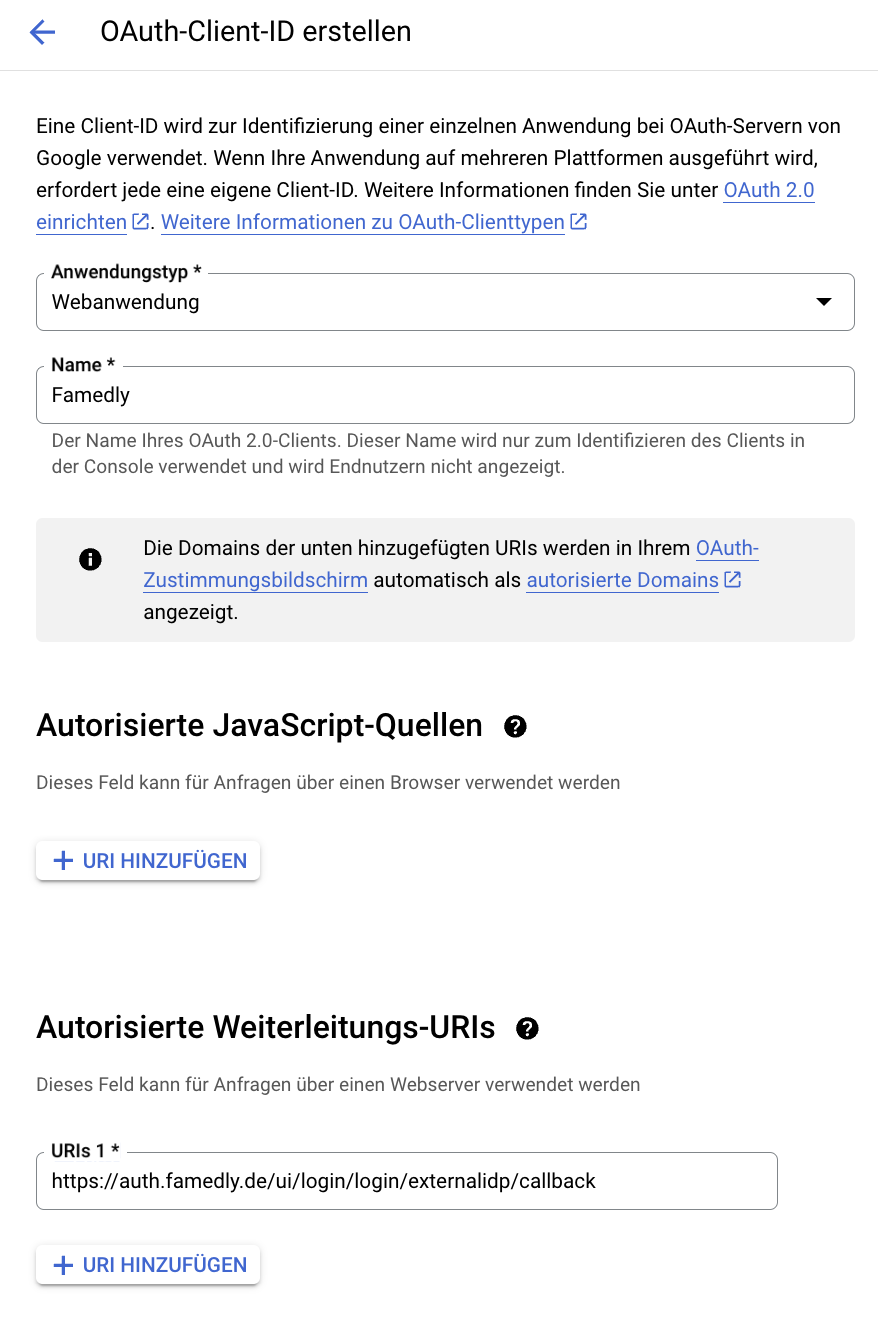
- Click on "+ CREATE CREDENTIALS" and choose "OAuth client ID"
- Choose "Web application" as application type and name it “Famedly” for example
- Paste
https://auth.famedly.de/ui/login/login/externalidp/callbackto the Authorised redirect URIs
Client ID and secret
After clicking “create” the client credentials appear. Please store them somewhere secure, as you need to share these attributes with us.
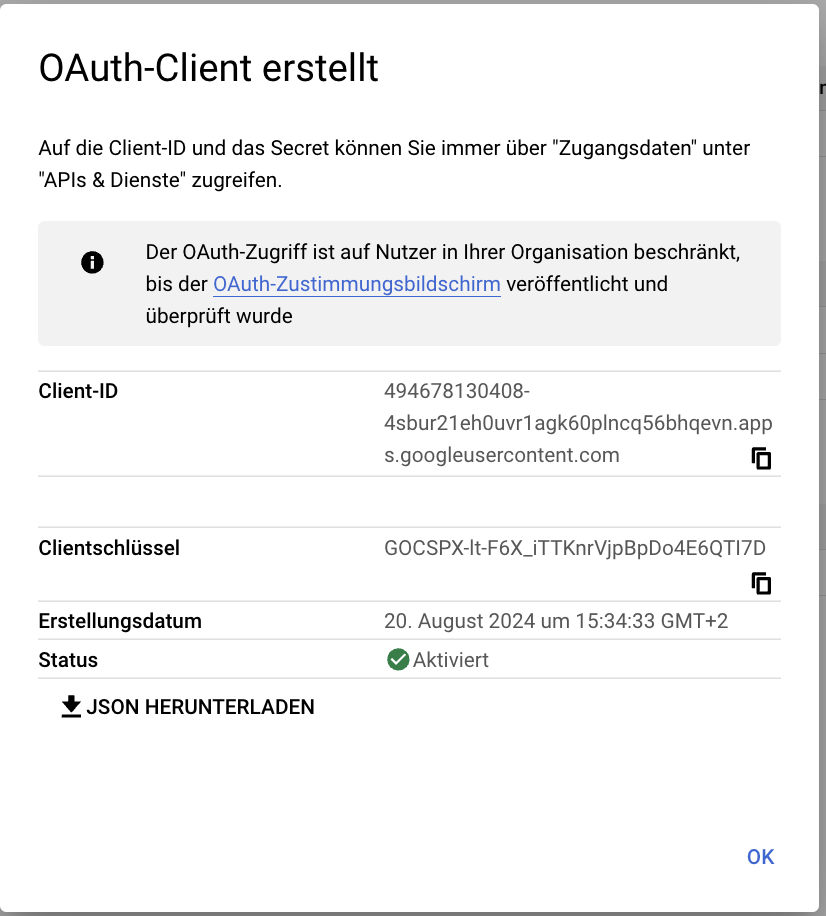
Information required by Famedly
To be able to configure your Google SSO, please provide the following information
- Client ID
- Client Secret